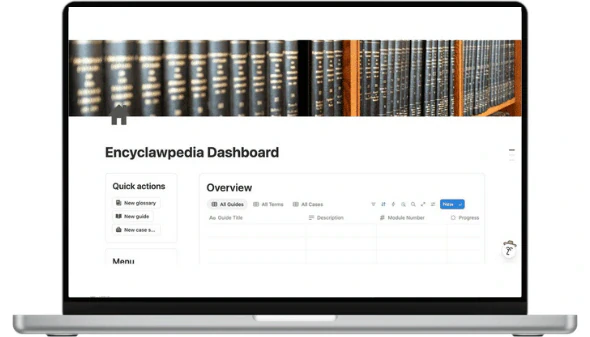
A Notion system to organize the resources Encyclawpedia shares with its community
Encyclawpedia has a central workspace to prepare and organize resources for its community. The dashboard brings together the portal, glossary, guides, case studies and reference materials.
The starting point.
Creating and publishing resources for a community required a shared structure to organize materials and check their status. The challenge was to bring different types of content together without turning navigation into a collection of disconnected pages.
How we did it.
A Notion dashboard was created with quick actions, an overview and access to the content areas. The menu connects Encyclawpedia's portal with the glossary, guides, case studies, resources and instructions for its agents.
What changed.
Organized content
The glossary, guides, case studies and resources have defined areas.
A connected portal
The community portal is accessible from the same operational dashboard.
An overall view
An Overview view and quick actions bring tracking and navigation together.
Tools used
More case studies
Other teams that chose a more organized way of working.
WWA Trading
Notion landing page for an info-product that turned cold visitors into qualified leads
Modular landing page reused across two launches
Fundraising University
End-to-end digital transformation of a fundraising training school through Notion automation
Real time
decisions with student data
Let's talk.
Book a free intro session so we can understand where you stand and how we can help. No strings attached.
or write to us at info@theoptimalflow.com